 100% Canadian

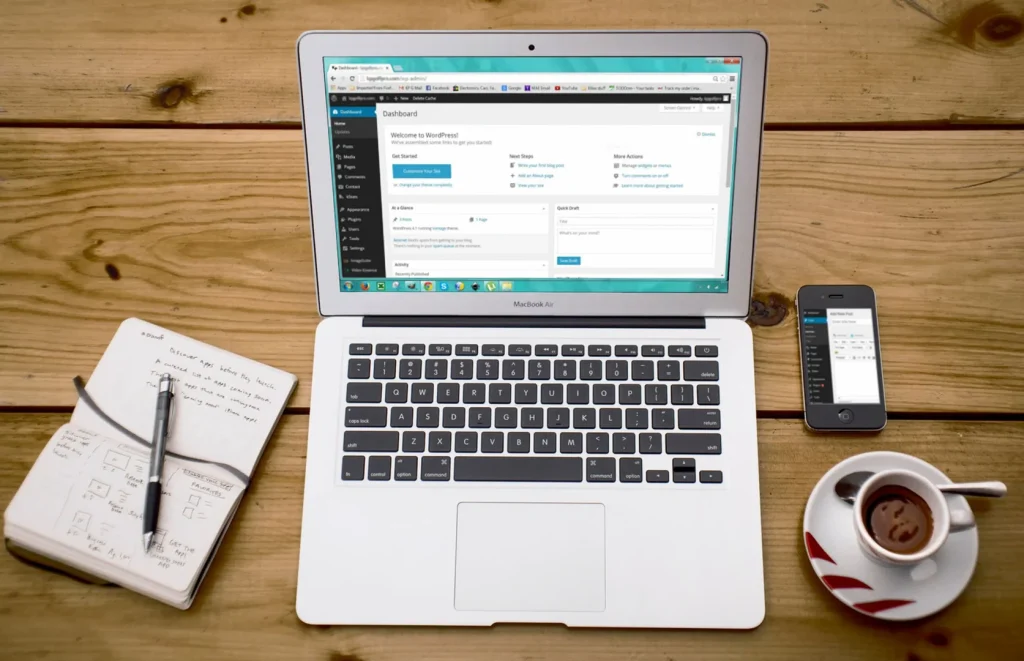
If you’ve logged into your WordPress dashboard recently, you’ve probably seen a notification like “A new version of WordPress is available” or “12 plugins have updates available.” For a lot of business owners, that notification feels like a warning light on a car dashboard — something you need to deal with right now.
It’s usually not.
In most cases, that message just means newer software exists. It doesn’t mean your site is at risk, broken, or about to stop working. This guide explains why updates matter, why rushing them isn’t always the safest move, and why we handle updates for our clients the way we do.
Updates matter — but timing matters too
To be clear: WordPress should be kept up to date. Old software becomes a security liability over time, and new releases bring security fixes, performance improvements, and bug fixes along with new features. The mistake isn’t updating — it’s assuming every update needs to go live on a business website the moment it’s released.
Think about how you handle phone updates. When Apple or Google pushes a major OS update, plenty of people wait a week or two before installing it, because the first few days after release are usually when unexpected bugs surface — the kind that only show up once millions of people are actually using the new version in the real world.
WordPress works the same way, except your site usually isn’t running one piece of software. It’s running several at once:
- WordPress core
- Your theme
- Somewhere between 15 and 30 plugins
- WooCommerce, if you’re selling online
- A booking system, contact form, or payment gateway
- Custom code specific to your site
All of those pieces have to keep working together after an update, which is exactly where things can go wrong.
Why we don’t update everything on day one
A common assumption is that “update available” means “install immediately.” In practice, most experienced WordPress agencies do the opposite: when a major release comes out, they hold off deploying it to client sites for a short window — often a few days to a couple of weeks — while plugin and theme developers test compatibility and patch anything that breaks. WordPress itself recommends testing major releases on a staging site before pushing them to production.
That’s not neglect. It’s how updates are supposed to be handled on a live business site.
Why plugins sometimes lag behind
Say WordPress ships a new major version tomorrow. Plugin developers don’t get advance certainty that their plugin will work perfectly with it. They have to test it against the new core version, fix whatever breaks, release an update, and then watch for bug reports — because some conflicts only show up once real users with real, messy combinations of plugins start updating.
That process can take hours. It can also take days, particularly for plugins maintained by small teams or solo developers. This isn’t a flaw in WordPress — it’s just how a plugin ecosystem with tens of thousands of contributors works.
Lots of available updates isn’t a red flag
We get this question a lot: “Why does my site always have updates pending — is something wrong with it?”
No. If anything, it’s a good sign. It means the plugins and themes on your site are actively maintained, not abandoned. Developers are constantly shipping security patches, PHP and browser compatibility fixes, accessibility improvements, and new features. A site with zero updates pending for months is often a bigger warning sign than one with a dozen waiting — it can mean a plugin has been abandoned by its developer.
Not every update carries the same urgency
Security patches fix known vulnerabilities. These should generally be applied promptly, after proper testing — through a managed process rather than a blind click of “Update Now.” Sitting on a genuine security fix for weeks is the one scenario where delay actually is risky.
Bug-fix releases address issues found after an earlier release. Usually safe to install fairly soon, ideally after a backup.
Major feature releases introduce new functionality — and they’re also the releases most likely to cause compatibility headaches. These are the ones worth approaching carefully rather than installing the day they drop.
“But won’t hackers get in while I wait?”
This is the concern we hear most often, and it’s a fair one. The answer is that update timing is only one layer of WordPress security — not the whole strategy.
Here’s what’s protecting your site at the server level, independent of whatever plugin version you’re running:
- Web Application Firewall (WAF) filtering malicious traffic before it ever reaches WordPress
- Malware scanning
- Brute-force login protection
- Account isolation between hosting accounts, so one compromised site can’t affect another
- Hardened PHP configuration
- SSL encryption
- Automated backups
- Server-level security patching and infrastructure monitoring
Because these protections sit below WordPress itself, your site stays protected even during the short window before a plugin update is tested and applied. Updates are still important — they’re just one part of a larger picture.
What we recommend
Worth doing:
- Keep regular, automated backups running
- Have someone review major releases before they go live on a production site
- Flag anything that looks off after an update — a broken layout, a missing feature, a slow page
- Keep your hosting account active and current
Worth avoiding:
- Clicking “Update Now” on everything the moment it appears
- Installing updates minutes before a launch, sale, or high-traffic event
- Ignoring compatibility warnings in the dashboard
- Installing random “update helper” or “fix it” plugins recommended by a forum post or an AI tool
- Treating every update notification as an emergency
Don’t put updates off forever
Waiting a few days for compatibility issues to surface is one thing. Leaving updates untouched for months or years is another. The longer a website falls behind, the more difficult and expensive it can become to bring everything up to date. This is often referred to as technical debt. If you’d like to understand why it matters, read our guide to technical debt. And if you’d rather not worry about any of this, contact 100 Webhost—we’ll handle the updates for you.
What about automatic updates?
Automatic updates work well when they’re scoped correctly. Minor security releases are generally low-risk and are designed to install automatically without breaking anything. Major version releases are a different story — they can touch compatibility across your theme, plugins, and any custom code, which is why most managed hosts stage or delay major rollouts until they’ve confirmed they’re stable.
The goal isn’t to delay forever. It’s to avoid finding out about a bug the hard way, on a live site, before anyone else has.
Worth noting: as of 2026, WordPress itself introduced a 24-hour delay before new plugin releases go out through automatic updates, specifically to give security reviewers time to catch malicious or broken releases before they reach millions of sites. Even the WordPress project has moved toward more cautious, staged rollouts rather than instant automatic updates — which tells you something about where best practice is heading.
Quick reference
| You see this | It usually means | What to do |
|---|---|---|
| New WordPress version available | A new core release has shipped | Don’t rush it — we’ll assess the right time to install |
| Plugin updates available | Developers have shipped fixes or improvements | Usually fine to wait briefly for compatibility to settle |
| Theme update available | New features, fixes, or compatibility work | Check for conflicts before applying |
| Security update | A known vulnerability has been patched | Should be applied promptly, through a managed process |
| Several updates pending at once | Your plugins are actively maintained | Normal — not a sign anything’s wrong |
We handle this so you don’t have to
Your website exists to bring in enquiries, bookings, or sales — not to become one more thing on your to-do list. Managing WordPress properly isn’t just clicking “Update.” It’s knowing what to update, when, what needs testing first, what to back up beforehand, and how to roll back quickly if something goes sideways.
If you’re staring at an update notification and not sure whether it’s urgent, get in touch with 100 Webhost. We’ll check compatibility, take a backup, apply the update, confirm everything still works, and keep monitoring the server-level protections running underneath your site the whole time.
Related reading
If you found this helpful, these guides from our blog cover other practical topics for business owners managing their online presence:
- WordPress Site Health Explained: What’s Actually Wrong (and What Isn’t) – This guide is here to save you the worry and, in some cases, the accidental changes that come from trying to fix things that weren’t broken.
- Defending Against AI-Enabled Attacks on Your Website — What’s actually changed with AI-powered threats, and how our hosting protects you automatically.
- Why Secure Hosted Email is Your Best Defense Against Phishing in 2026 — Why your email setup matters just as much as your website security.
- How to Secure Your Website: A Simple Guide for Business Owners — A plain-language overview of website security that doesn’t require a tech background.
- How to Get Local Support When You Need It — Why working with a local Canadian hosting provider makes a real difference.